

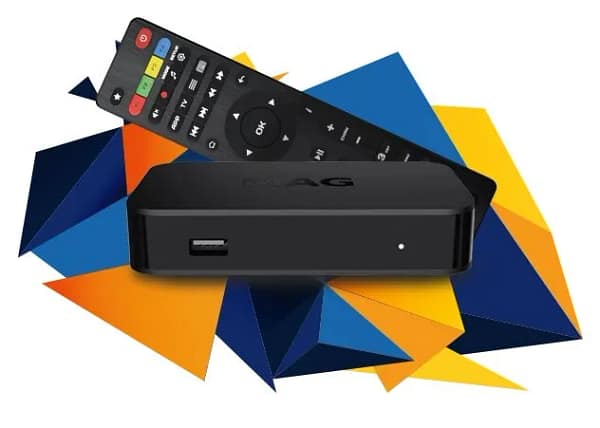
MAG Device Excellence 2025
Professional Setup: Connect Your IPTV MAG Subscription to Any Device
The Infomir MAG series remains the "gold standard" for dedicated streaming hardware. Unlike Android boxes, an IPTV MAG subscription provides a pure, Linux-based environment designed specifically for high-bitrate video decoding. In 2025, setting up your IPTV MAG subscription correctly is the difference between a laggy experience and a seamless, cable-like interface. This guide will walk you through the professional configuration for all models, including the latest MAG 544 and 555.
Step 1: Locate Your MAC Address
Before your IPTV MAG subscription can be activated, you must provide your MAC address to your provider. This is a unique 12-digit identifier (e.g., 00:1A:79:XX:XX:XX). You can find this on the underside of your device on a white sticker or by navigating to Settings > System Info within the MAG inner portal. Pro Tip: Ensure you provide the "Ethernet" MAC address, not the Wi-Fi one, for maximum stability.
Step 2: Configuring the Portal URL
Once your provider has registered your MAC address, follow these steps to link your IPTV MAG subscription:
- Power on your MAG box and wait for the "Loading" screen. Press SET/SETUP on your remote.
- Go to System Settings and then select Servers.
- Click on Portals.
- In Portal 1 Name, type "EuropeLiveTV".
- In Portal 1 URL, enter the link provided in your activation email.
- Press OK to save and EXIT back to the main menu.
- Select Reload Portal and watch your content load!
Why Choose an IPTV MAG Subscription?
The IPTV MAG subscription experience is superior for three reasons. First, the Middleware stability is unmatched; Infomir's Ministra platform is built for 24/7 operation. Second, the Zapping Speed on a MAG box is often under 1 second, making it feel like traditional television. Finally, the Native EPG support means you get a full 7-day TV guide that is integrated directly into the system, not a third-party app that might crash.
Optimizing Video & Audio Settings
To get the best out of your IPTV MAG subscription in 4K, go to Settings > Video. Change the Video Output Mode to "Auto" or the highest resolution your TV supports (e.g., 2160p-60). For audio, ensure HDMI-CEC is enabled so your MAG remote can control your TV volume, creating a unified home cinema experience.
Ready for Buffer-Free MAG Streaming?
Upgrade your IPTV MAG subscription to our premium 2025 high-speed servers.
ACTIVATE NOWTroubleshooting "Page Loading Error"
If you see a "Page Loading Error" during your IPTV MAG subscription setup, it usually means your MAC address isn't active on the server yet or the Portal URL was typed incorrectly. Check for small typos like http:// vs https://. If the internet is connected but the portal won't load, try a Hard Reset: unplug the power for 30 seconds and let the device reboot. This clears the DNS cache and often resolves 90% of connection issues.
In conclusion, a IPTV MAG subscription paired with EuropeLiveTV infrastructure provides the most reliable way to stream 20,000+ channels and 4K VOD in 2025. By following these professional steps, you ensure your hardware is optimized for the next generation of digital entertainment.