The Ultimate Guide to IPTV: News, Reviews, and Setup Tutorials | Blog IPTV
Welcome to the definitive source for everything related to blog IPTV. If you are looking to cut the cord, find more flexible viewing options, or simply understand how modern television delivery works, you’ve come to the right place.
The digital viewing landscape is rapidly changing, and IPTV (Internet Protocol Television) is at the forefront of this revolution. Our official blog IPTV section is your reliable guide through this exciting technology, offering deep-dive reviews, step-by-step setup guides, and the latest industry news.
1. What is IPTV and How Does it Work?
IPTV is a method of delivering television content and channels over an Internet Protocol (IP) network, rather than through traditional means like cable, satellite, or terrestrial broadcasts. Essentially, you receive TV via your internet connection.
How IPTV Works
Unlike on-demand streaming services (like Netflix, which stream pre-recorded content), or traditional TV, IPTV utilizes unique technology to deliver live, time-shifted, and VOD (Video on Demand) content:
Content Acquisition: TV channels and content are received and prepared for internet delivery.
Encoding: The content is converted into a digital format (encoded) that can be easily transmitted over the internet (often using $\text{H}.264$ or $\text{H}.265$ standards).
Transmission: The video stream is sent to the user’s device using IP packets. IPTV often uses multicast technology, which efficiently sends a single stream to multiple simultaneous subscribers.
Decoding: Your device (via an IPTV app or box) receives the data, decodes it, and displays the video on your screen.
Live TV: Real-time streaming of television channels, just like traditional cable.
VOD (Video on Demand): Allows users to select and watch any video content at any time (e.g., a movie library).
Time-Shifted TV: Gives users the ability to rewind, fast-forward, or replay live broadcasts, or access past shows for a limited time (catch-up TV).
2. ⚙️ Setting Up Your IPTV Experience
Getting started with Blog IPTV is surprisingly easy. You only need three main components: a reliable internet connection, a compatible device, and an IPTV service/app.
Required Equipment
| Component | Minimum Recommendation | Role |
| Internet Speed | 10 Mbps (for $\text{HD}$) / 25 Mbps+ (for $\text{4K}$) | Ensures smooth, buffer-free streaming. |
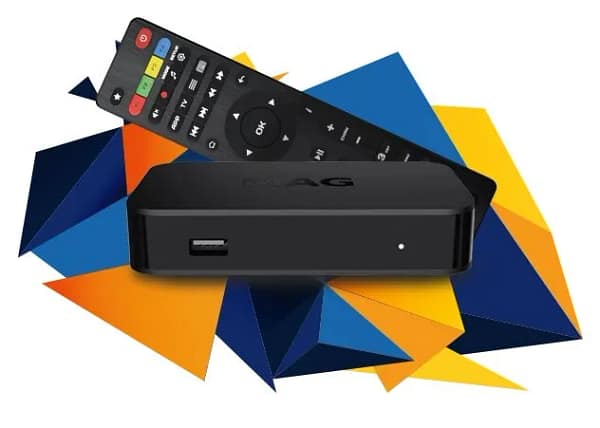
| Streaming Device | Amazon Firestick, Android Box, Smart TV | Decodes the IP signal and displays the content. |
| IPTV Service | Subscription (paid or free) | Provides the channel lineup and content library. |
| IPTV App | TiviMate, IPTV Smarters Pro, VLC | The player interface to organize and watch streams. |
Popular IPTV Apps & Players
The player app is your interface for watching content. Many services recommend a specific player, but here are the most popular options:
TiviMate: Highly popular for its smooth interface, TV-guide feel (EPG), and customization options.
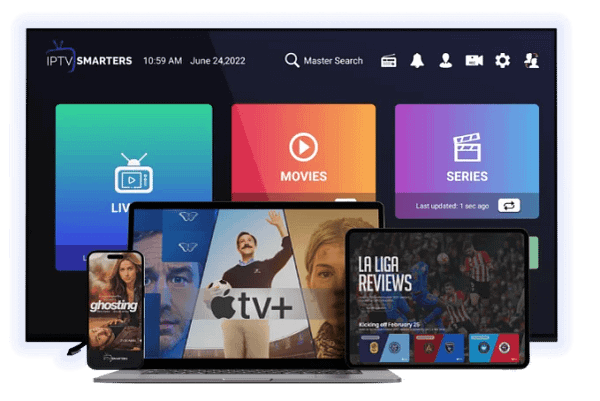
IPTV Smarters Pro: An industry-standard app used by many providers. Excellent for organizing VOD and Live TV content.
VLC Media Player: A powerful, free, and open-source option capable of playing virtually any stream format, including M3U lists.
Quick Setup Guide (Standard Method)
Subscribe: Choose and subscribe to a reputable IPTV service. They will provide you with a login method (usually an M3U link or Xtream Codes API login).
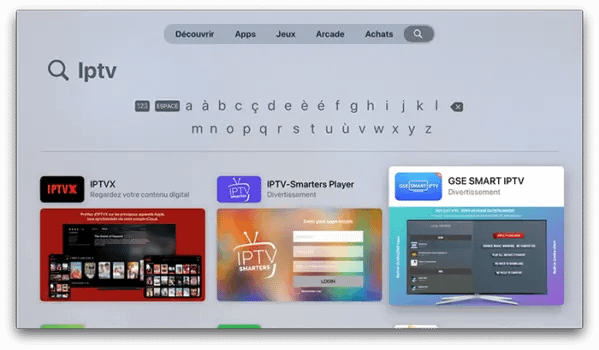
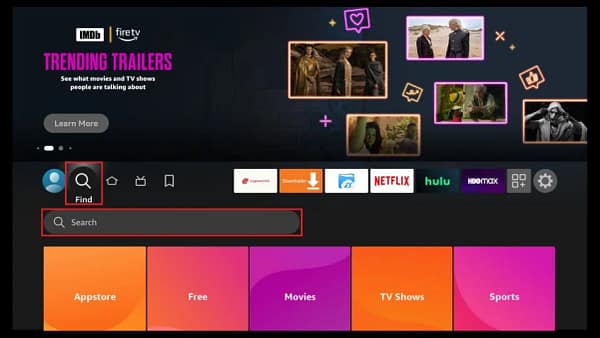
Install App: Download and install your chosen IPTV player app (e.g., TiviMate) on your streaming device.
Load Playlist: Open the app and enter the login details (M3U URL, username, and password) provided by your IPTV service.
Enjoy: The app will load your channel lists and Electronic Program Guide (EPG).
3. 🛡️ Legality, Safety, and Using an IPTV VPN
Before diving in, it is crucial to understand the safety and legal aspects of IPTV.
The Legal Landscape
Is IPTV Legal? Yes, but…
Blog IPTV is simply a technology for content delivery. Using it is perfectly legal if the service you subscribe to has the proper licenses and rights to distribute the content (channels, movies, shows) in your region.
The Risk: Many low-cost services stream copyrighted content without permission. Subscribing to such a service is illegal and can expose you to potential legal action or fines. Always choose a reputable provider.
Why You Need an IPTV VPN
Regardless of the legality of your chosen service, a Virtual Private Network (VPN) is essential for a safe and optimal experience:
Privacy & Security: A VPN encrypts your connection, hiding your streaming activity from your Internet Service Provider (ISP).
Preventing Throttling: If your ISP sees you are streaming high volumes of data (like 4K live sports), they may intentionally slow down (throttle) your speed, causing buffering. A VPN prevents this.
Geo-Unlocking: A VPN allows you to virtually change your location, granting access to content and channels that may be restricted in your actual region.
4. 📰 Conclusion and What to Read Next
IPTV offers unmatched flexibility, channel selection, and customization compared to traditional TV. By understanding the technology and prioritizing legal and safe practices, you can enjoy a superior viewing experience.
Thank you for visiting the blog IPTV hub. We are constantly updating this section with new reviews, comparisons, and troubleshooting tips.
🌟 Our Latest IPTV Insights:
[Link to Article: The Best Budget IPTV Boxes for Streaming 4K in 2025]
[Link to Article: TiviMate vs. IPTV Smarters Pro: A Feature-by-Feature Comparison]
[Link to Article: Top 5 VPNs Recommended for IPTV Streaming]
❓ Frequently Asked Questions (FAQ)
Q: Do I need a fast internet connection for IPTV?
A: Yes. While SD quality requires about $3$ Mbps, we recommend at least $10$ Mbps for reliable $\text{HD}$ streaming and $25$ Mbps or more for stable $\text{4K}$ content.
Q: Can I use my IPTV subscription on multiple devices?
A: This depends entirely on your service provider. Most providers offer one or two connections per subscription, but you can usually purchase extra connections if needed.
Q: Are free IPTV services safe to use?
A: Free services often lack stability, quality, and a reliable EPG. More critically, they pose a greater risk of streaming illegal content and may expose your device to malware. We strongly advise using paid, reputable services.